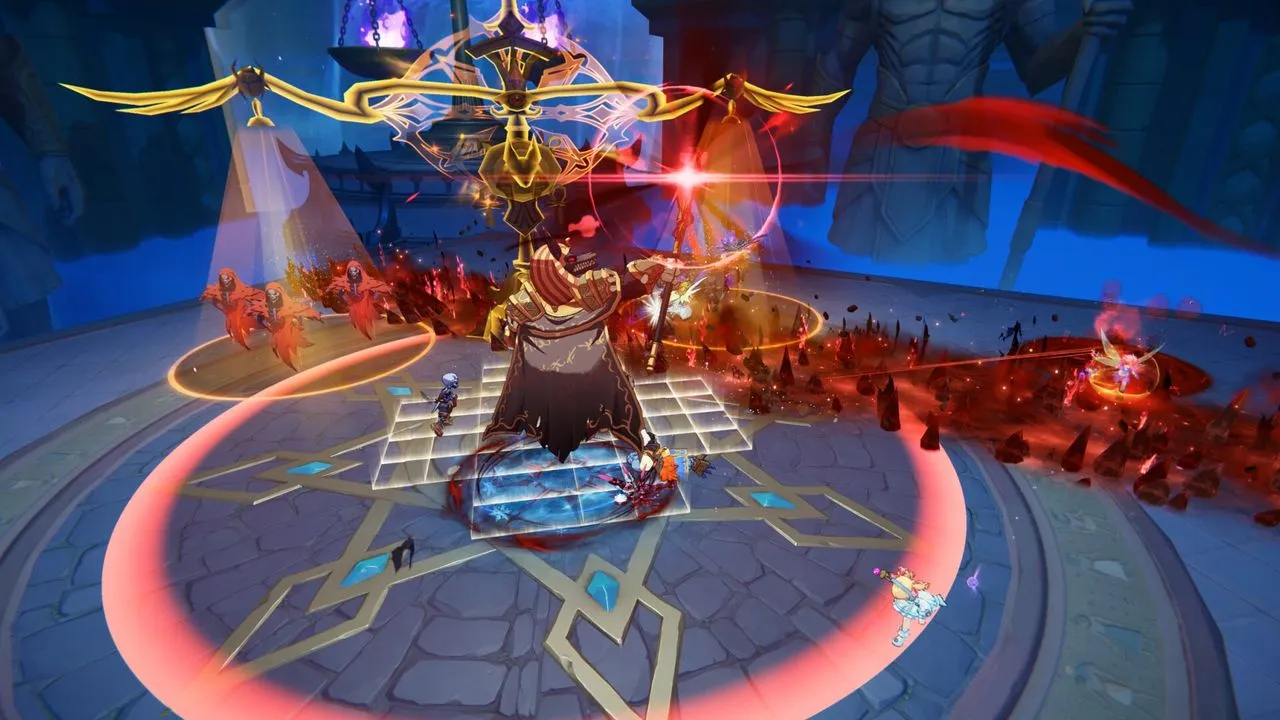
Ragnarok: The New World is a free-to-play open-world MMORPG from Gravity Game Vision. For Ragnarok: The New World on PC, the route we could document runs from Steam to your first login on the Southeast Asia server. The short answer: install from Steam, then create a Gravity account inside the game launcher.
Quick answer
- What it is: a free-to-play MMORPG on PC and mobile, per its Steam page.
- Server: Southeast Asia only, per Gravity's Steam FAQ.
- Login: a Gravity account made in the launcher, not your Steam account.
- Published specs: 12 GB RAM and 30 GB of storage minimum, 16 GB RAM recommended.
- Version: Steam page and Gravity announcements, Southeast Asia server, checked Oct. 17, 2026.
Checked against the Steam store page, Gravity's Steam announcement of Aug. 17, 2026, the official Southeast Asia site and Gravity's press release of July 16, 2026. The current Steam and official-site details were rechecked Oct. 17, 2026. The available play journal contains no session details, so this guide makes no hands-on installation claim.
Is the Steam version World Journey, and what does it offer?
Reports say yes: they pair the Taiwan title with this game. The Taiwan title ends in 世界之旅, which translates as "World Journey." gamebiz.jp (Jan. 28, 2026) pairs it with "Ragnarok: The New World." Inven Global (April 13, 2026) says the game launched there in January as "RO: The New World." We found no Gravity text that states the match outright. We cover the Taiwan-region World Journey package separately in our World Journey review; Gravity has not confirmed it is the same build as the Steam version.
Either way, the Steam version is the Southeast Asia release, and it shares no data with the Taiwan, Hong Kong and Macau version.
Gravity's Steam FAQ (Aug. 17, 2026), recorded in our Oct. 15 source reading, states the split. The Steam version "currently supports only the Southeast Asia server and does not share data with the Taiwan, Hong Kong, and Macau version." If you have a character there, you "will need to create a new character on the Southeast Asia server."
Steam lists the game as free to play, with in-app purchases, for Windows only. Its four languages are English, Indonesian, Thai and Simplified Chinese, each ticked for interface, full audio and subtitles. Dates differ by source. Gravity's press release puts the Southeast Asia launch on July 16, 2026. Steam's page lists July 26. Gravity's Aug. 17 Steam announcement says the game is "now officially available on Steam."
Gravity's FAQ warns that some players may see "latency, fluctuations, or unstable connections" because of location, internet provider or routing. Servers for other regions are planned, but "the specific regions and launch dates have not yet been determined." The official pages we read gave no exhaustive list of countries served, Malaysia included.
How do you get from Steam to your first login?
Install the game from its free Steam page, then create a Gravity account inside the game launcher. Steam's notice reads: "Account creation is required through the game launcher to create a Gravity account."
Gravity's FAQ explains the lack of direct Steam login: the launcher carries cross-platform progress sync and anti-cheat. Gravity concedes it "adds extra steps and does not provide the ideal experience."
- Do this first: on Steam, check that the page lists Gravity Game Vision Limited as developer and publisher (app 4212480).
- Install the free game from that page.
- Start the game and create your Gravity account in its launcher.
- Sign in with that account. Steam currently supports only the Southeast Asia server.
The official Southeast Asia site, in English, also lists a "PC Download" client beside its Steam button, and Gravity's July 16 press release confirms both routes. We did not verify that client's steps or size.
Heads-up: we found no official page showing the launcher's screens or language, the download size, or the install time, so we do not describe them.
What PC do you need?
Steam lists a 12 GB RAM minimum, 16 GB recommended, 30 GB of storage and a broadband connection. It leaves operating system, processor and graphics blank, and the official site shows no configuration either.
Gravity's FAQ says the game "is not a purely native PC game": it is built for mobile and PC, so the interface involves "compromises." The team is discussing layout changes, "keyboard shortcut support" and simpler menus, with "no confirmed schedule."
Bottom line: if you only do one thing, create your Gravity account in the game launcher. Steam lists no operating system, processor or graphics requirement, so check your PC against the RAM, storage and broadband figures above.
What changed: Oct. 17, 2026, removed the volatile Steam-review snapshot and rechecked the current store requirements.
Frequently asked questions
Is Ragnarok: The New World free on PC?
Yes. Steam lists it as free to play, with in-app purchases that include chance-based items (read Oct. 17, 2026).
Can I log in with my Steam account?
Not directly. Gravity's FAQ says a separate launcher is currently required, and the team is evaluating technical solutions.
Which languages does it support?
English, Indonesian, Thai and Simplified Chinese on Steam; the official site's selector lists the same four. Neither Malay nor Filipino is listed.
Does it run on Mac or Linux?
Steam lists Windows only, with no Mac or Linux version (read Oct. 17, 2026).
Sources · checked Oct 15, 2026
- Steam store page and official appdetails data, Ragnarok: The New World (Gravity Game Vision Limited): price, platform, languages, system requirements and account notice; read Oct. 17, 2026
- Gravity (Steam announcement Ragnarok: The New World Steam Launch Information & FAQ, posted Aug. 17, 2026; FAQ in six images, transcribed from the browser reading of Oct. 15, 2026)
- Ragnarok: The New World official Southeast Asia site (Gravity Game Vision): English display, PC Download and Steam buttons, language selector; read Oct. 17, 2026
- Steam news hub for Ragnarok: The New World; checked Oct. 17, 2026
- Gravity press release, Ragnarok: The New World Officially Launched in Southeast Asia on July 16, 2026 (GlobeNewswire, republished by Finviz)
- Inven Global (Apr. 13, 2026): Taiwan, Hong Kong and Macau launch title
- gamebiz.jp (Jan. 28, 2026): Taiwan title and Ragnarok: The New World